Building a Reliable PyPI Release Pipeline - 8/9
Versioning, building, checking, testing, and publishing one immutable Python release through GitHub Actions and PyPI.
The project is packaged, tested, and documented. A release turns that working tree into immutable artifacts that other people can install by name:
$ python -m pip install tihttpPublishing is easy to reduce to an upload command. The more important design is the chain of evidence before that command: choose a version, identify one commit, build once, inspect and test the resulting artifacts, and publish those exact files.
Series
- From a Script to a Command-Line Tool
- When
sys.argvStops Scaling - Designing a CLI with
argparse - Why a Bash Installer Becomes a Liability
- Packaging a Python CLI with Console Scripts
- Testing a Python CLI and Automating CI
- Documentation as Part of the Product
- Building a Reliable PyPI Release Pipeline
- Publishing a Pure-Python CLI with Conda
Decide what the version promises
Semantic Versioning uses MAJOR.MINOR.PATCH, but the numbers are only meaningful after defining the public interface. For a CLI, that interface includes option names, accepted input, output intended for scripts, exit codes, and documented behavior—not only Python functions.
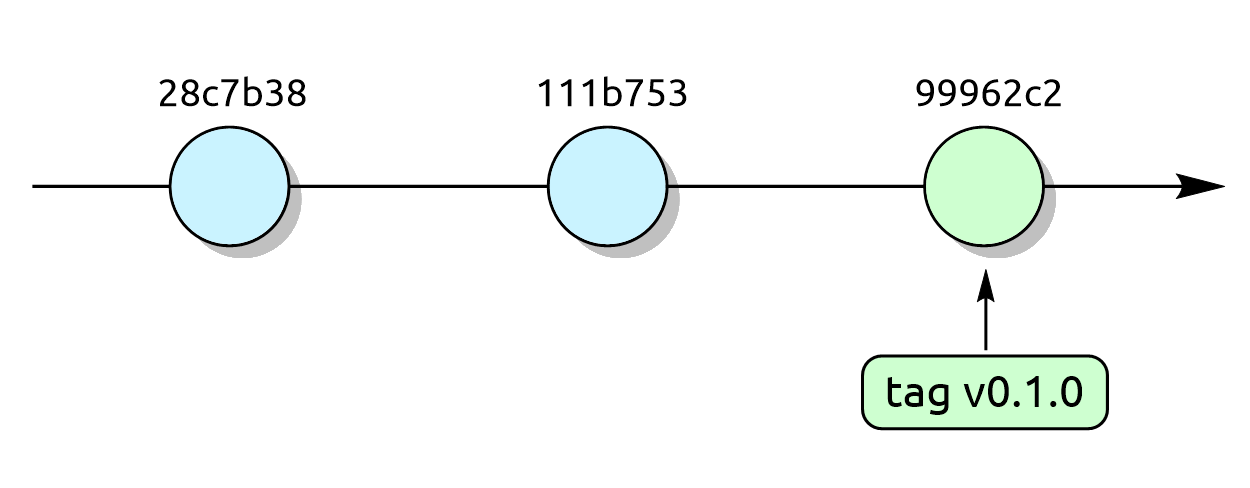
At version 0.1.0, tinyHTTPie is still an early interface. We can identify the release commit with an annotated Git tag:
$ git tag --annotate v0.1.0 --message "Release 0.1.0"
$ git push origin v0.1.0
An annotated tag records release metadata in Git. A GitHub release can then attach release notes and point readers to the same tag. The tag identifies source; the wheel and source distribution are the installable release artifacts.
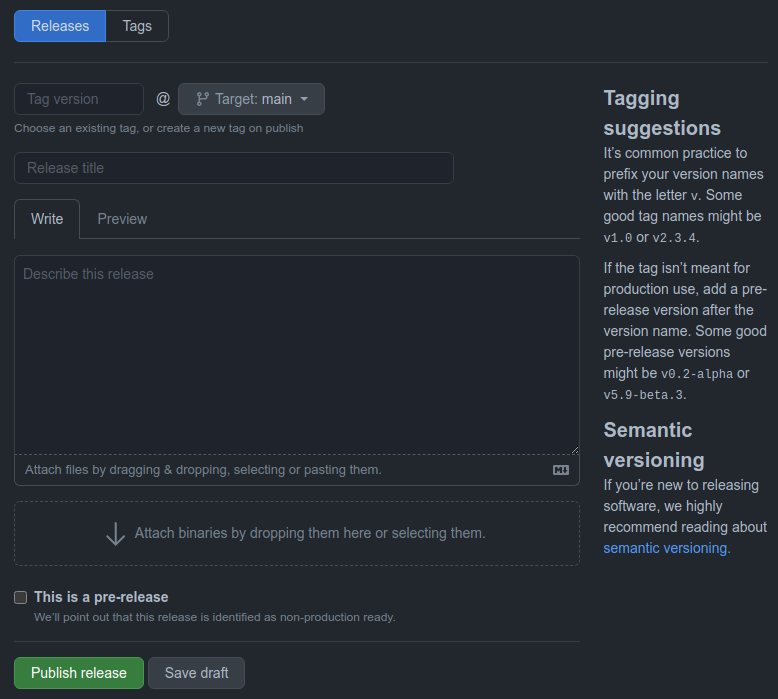
A GitHub release associates release notes and downloadable assets with a Git tag.
Build and inspect the distributions
Build the source distribution and wheel from setup.py, then let Twine validate their package metadata:
$ python -m pip install --upgrade wheel twine
$ python setup.py sdist bdist_wheel
$ python -m twine check dist/*
python -m build creates both artifacts in dist/:
dist/
├── tihttp-0.1.0-py3-none-any.whl
└── tihttp-0.1.0.tar.gz
twine check validates that package metadata and the rendered long description can be consumed by a package index. It does not prove that the wheel works, so install the wheel into a clean environment and run at least one smoke test:
$ python -m venv .release-venv
$ .release-venv/bin/python -m pip install dist/*.whl
$ .release-venv/bin/tihttp --help
The equivalent activation and executable paths differ on Windows. CI is a convenient place to perform this smoke test in a known environment.
PyPI does not allow replacing files for an existing project version. That immutability is useful: users can rely on 0.1.0 continuing to identify the same release. If the artifact is wrong, fix the project and publish a new version.
Build once, then promote the same artifact
A release workflow should not rebuild the package in the publishing job. Rebuilding creates a second artifact whose contents may differ from the one that passed verification.
name: Release

on:
  release:
    types: [published]

jobs:
  build:
    runs-on: ubuntu-latest

    steps:
      - uses: actions/checkout@v2
      - uses: actions/setup-python@v2
        with:
          python-version: "3.9"
      - run: python -m pip install wheel twine
      - run: python setup.py sdist bdist_wheel
      - run: python -m twine check dist/*
      - run: python -m pip install dist/*.whl
      - run: tihttp --help
      - uses: actions/upload-artifact@v2
        with:
          name: release-distributions
          path: dist/
          if-no-files-found: error

  publish:
    needs: build
    runs-on: ubuntu-latest

    steps:
      - uses: actions/setup-python@v2
        with:
          python-version: "3.9"
      - uses: actions/download-artifact@v2
        with:
          name: release-distributions
          path: dist/
      - run: python -m pip install twine
      - name: Upload to PyPI
        env:
          TWINE_USERNAME: __token__
          TWINE_PASSWORD: ${{ secrets.PYPI_API_TOKEN }}
        run: python -m twine upload dist/*
The repository stores a project-scoped PyPI API token as the PYPI_API_TOKEN GitHub secret. Twine reads the token from the environment, and GitHub masks the configured secret in logs. The token is still sensitive: it should be scoped narrowly and rotated if it is exposed.
For higher supply-chain assurance, third-party actions can be pinned to full commit hashes and updated deliberately. Major-version tags are easier to read in a tutorial, but they are movable references.
A release is a traceable decision
The valuable outcome is not merely automation. A reader should be able to answer:
- Which source commit produced this version?
- Which tests and checks ran against it?
- Which workflow built and published the files?
- Were the published files the same ones that passed verification?
- Which identity was authorized to publish them?
That is enough process for a small CLI without pretending it needs an enterprise release platform.
The final article adds a second distribution channel. Part 9 asks when a conda package is useful and how a pure-Python project can avoid unnecessary platform builds.