Documentation as Part of the Product - 7/9
Designing documentation for users and maintainers, then building tested API and project documentation with Sphinx.
A command can be correct, packaged, and tested while still being difficult to use. Documentation closes that gap by explaining what the tool is for, how to start, how to complete common tasks, and what its public interfaces mean.
Good documentation is not a single long README. Different readers arrive with different questions, so the first design decision is deciding which question each document should answer.
Series
- From a Script to a Command-Line Tool
- When
sys.argvStops Scaling - Designing a CLI with
argparse - Why a Bash Installer Becomes a Liability
- Packaging a Python CLI with Console Scripts
- Testing a Python CLI and Automating CI
- Documentation as Part of the Product
- Building a Reliable PyPI Release Pipeline
- Publishing a Pure-Python CLI with Conda
Start with reader intent
| Document | Question it answers |
|---|---|
| README | What is this project, and should I use it? |
| Tutorial | How do I learn the basic workflow? |
| How-to guide | How do I complete one specific task? |
| Reference | What exactly does this option, function, or format mean? |
| Explanation | Why does the system work this way? |
Not every small project needs all five as separate documents. The distinction is still useful: a README becomes hard to scan when installation, API reference, design rationale, and troubleshooting all compete at the same level.
Code should expose intent
Readable names, focused functions, type hints, and small interfaces reduce how much separate explanation is necessary. They do not eliminate documentation. A docstring should describe the contract or important behavior that the signature cannot express:
def http_url(value: str) -> str:
    """Return an absolute HTTP(S) URL accepted by the CLI.

    Values without a scheme default to HTTPS.

    Args:
        value: URL supplied by the caller.

    Raises:
        argparse.ArgumentTypeError: If the URL has no host or uses an
            unsupported scheme.
    """
A comment should explain a non-obvious reason or constraint, not translate the next line into English. Git history can provide useful archaeology, but commit messages are not a replacement for documenting a public contract or a decision that future maintainers need to understand.
Tools such as GitLens make that history visible next to the code, which is especially useful when investigating why a line changed:
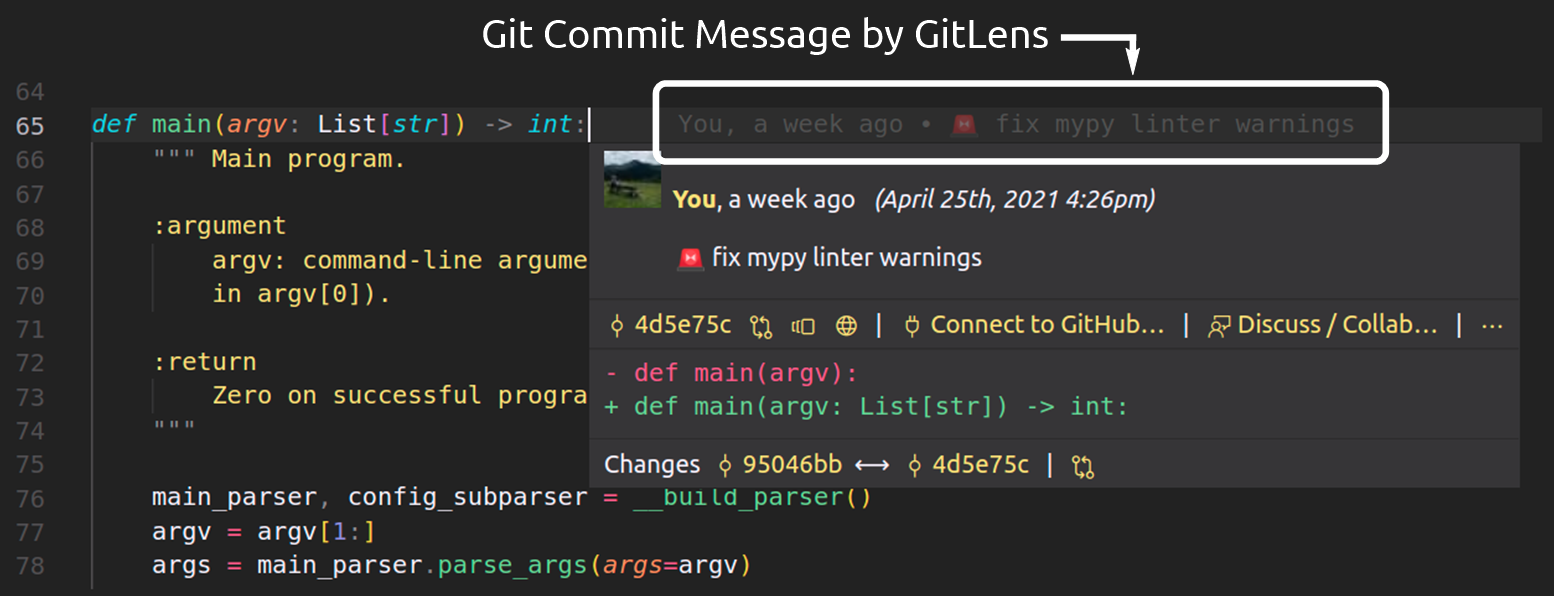
History supplies context; the current code and documentation must still describe the current contract.
Make the README earn the first minute
For tinyHTTPie, the README should answer the first questions with little scrolling:
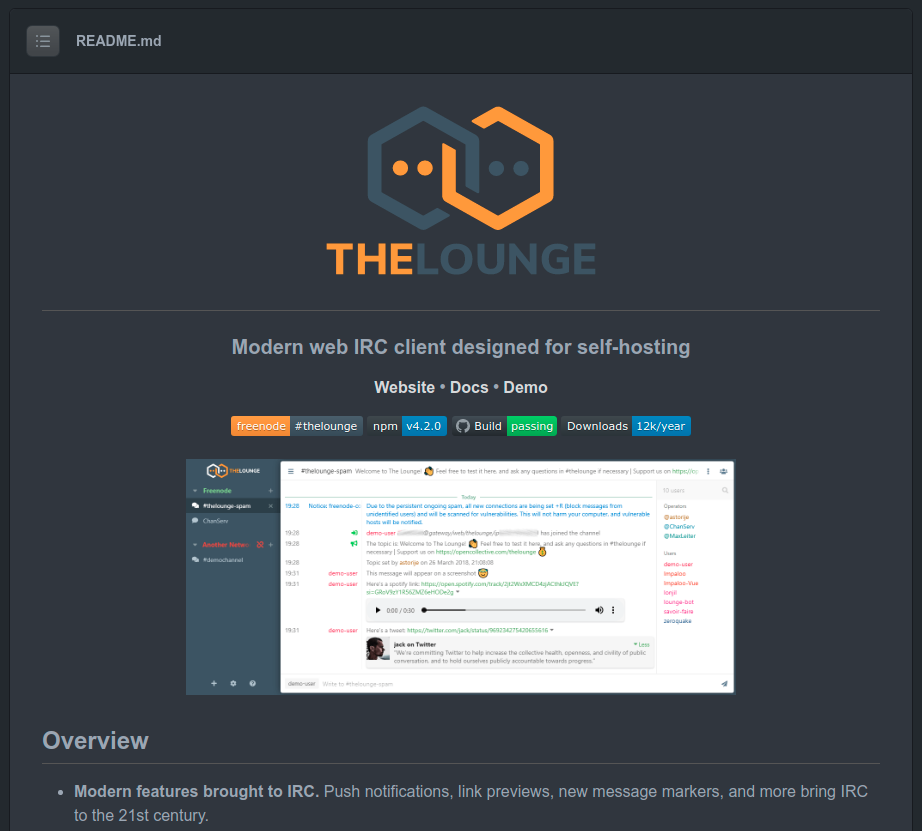
The Lounge README uses visual hierarchy to communicate identity, purpose, project links, status, and the product itself.
# tinyHTTPie

A small command-line HTTP client used to demonstrate the lifecycle of a
Python CLI.

## Install

    python -m pip install tihttp

## Use

    tihttp --headers-only https://example.com
    tihttp --body-only https://example.com

## Develop

    python -m pip install --editable '.[dev]'
    python -m pytest
Badges can report automation status or package versions. They do not prove project quality, so each badge should answer a real reader question rather than decorate the page.
Build larger documentation with Sphinx
Sphinx becomes useful when tutorials, reference material, and generated API documentation outgrow the README. Install the project and documentation dependencies into the active environment, then create the documentation structure:
$ python -m pip install --editable '.[docs]'
$ mkdir docs
$ cd docs
$ sphinx-quickstart

> Separate source and build directories (y/n) [n]: y
> Project name: tinyHTTPie
> Author name(s): Niklas Tiede
> Project release []: 0.1.0
The generated Makefile lives in docs, so that is where make html runs:
$ make htmlThe central configuration is docs/source/conf.py:
project = "tinyHTTPie"
release = "0.1.0"

extensions = [
    "sphinx.ext.autodoc",
    "sphinx.ext.napoleon",
]

html_theme = "sphinx_rtd_theme"
autodoc imports documented modules, which is why installing the project is cleaner than modifying sys.path inside the documentation configuration. napoleon lets Sphinx understand common Google- and NumPy-style docstrings.
The root document can then organize material by reader task:
tinyHTTPie
==========

.. toctree::
   :maxdepth: 2

   tutorial
   how-to
   reference
   design
Treat documentation warnings as failures
Broken cross-references and invalid directives are defects. CI can build the documentation in strict mode:
$ python -m sphinx -W --keep-going \
    -b html docs/source docs/build/html
Documentation also becomes stale when commands and examples stop matching the software. Testing important examples and building docs on every change keeps that drift visible.
With the user and maintainer interfaces documented, the project is ready for a repeatable release. Part 8 packages and publishes the same artifacts that we have tested.